 spokt
spoktReader guide
Free Speechify Alternatives That Don't Cost $139/yr
Yes, there are genuinely free Speechify alternatives: ElevenReader costs nothing to listen with, Microsoft Edge's Read Aloud is built into the browser, and your iPhone already has Speak Screen. If what you actually want is to stop renting a reading app, Spokt pairs a real free tier with a one-time lifetime unlock instead of a $139-a-year subscription. Here's what Speechify's free plan really restricts, how seven alternatives compare, and what each path costs over three years.
What Speechify's Free Plan Actually Includes
Speechify Premium costs $139 per year, billed upfront in one charge. The marketing shows it as $11.58 per month, but you can't actually pay $11.58 once — and paying month-to-month costs substantially more, which is why the annual figure is the number that matters. You can confirm the current terms on Speechify's own pricing page.
The free plan is closer to a demo than a tier you can live on: roughly 10 standard voices (the robotic-sounding system kind, not the natural AI voices in the ads), playback speed capped at 1.5×, and a library limited to about five documents. The natural voices, faster speeds, and offline listening all sit behind Premium.
Two more things are worth knowing before you renew. Even Premium has usage ceilings — Speechify's published limits cap premium-voice listening at a set number of words per month. And the free trial converts to the full annual charge if you don't cancel in time, which is where many of the "surprise $139" complaints in reviews come from. None of this makes Speechify a bad product; it makes it an expensive one, and the alternatives below cover most of what it does for far less — or for nothing.
7 Free Speechify Alternatives Compared
If you're searching for apps like Speechify but free, these seven are the ones worth your time. A note on method first: most "Speechify alternative" lists pad their rankings with B2B voiceover generators — Murf, Play.ht, Descript — that produce MP3s for video projects. Those tools don't read your documents, keep a library, or remember your place, so they're excluded here.
| App | What's genuinely free | Platforms | Paid model |
|---|---|---|---|
| ElevenReader | Free listening with 1,000+ ElevenLabs voices | iOS, Android | Ultra, $99/yr (offline downloads, premium audiobooks) |
| NaturalReader | Basic voices free; premium voices limited per day | Web, iOS, Android, desktop | Plus, $119/yr |
| Microsoft Edge Read Aloud | Everything — it's a browser feature | Edge on desktop and mobile | None |
| Balabolka | Everything, including saving audio files | Windows | None (freeware) |
| TTSReader / ReadAloud | Basic web reading in the browser | Browser | Small paid upgrades |
| iOS Spoken Content (Speak Screen) | Everything — built into iPhone and iPad | iOS | None |
| Spokt | Real free tier: monthly voice credits and sync minutes included | iOS (iPhone and iPad) | Plus subscription, or a one-time lifetime unlock |
ElevenReader is the standout on raw generosity — a huge voice pool at no cost. The built-in tools cost nothing but show their limits fast: Speak Screen reads with the default system voice and loses your place between sessions (our iPhone read-aloud guide covers the setup and the workarounds). Spokt is the only option on the list that combines natural AI voices, word-by-word highlighting on PDFs, EPUBs, and articles, and a pricing model that ends with you owning the app.
What It Really Costs: 1 Year, 3 Years, and the Voice Dream Lesson
The cheapest alternative to Speechify isn't a slightly lower subscription — it's not renting your reading app at all. Here's the math on the main paid tiers:
| Option | Year 1 | After 3 years |
|---|---|---|
| Speechify Premium | $139 | $417 |
| NaturalReader Plus | $119 | $357 |
| ElevenReader Ultra | $99 | $297 |
| Spokt lifetime unlock | One purchase | $0 more — you own it |
If you want a Speechify alternative with a one-time purchase, know that the option has become rare — and the story of why is instructive. Voice Dream Reader was the famous pay-once reading app: roughly $10–$20, once, beloved by dyslexic readers and students for a decade. Its creator sold it to Applause Group in 2023, and in April 2024 the new owners announced a move to a $59.99–79.99 per year subscription — with existing one-time purchasers set to lose core features on May 1, 2024. The backlash was immediate, commentators argued the move breached Apple's own guidelines, and the company partially reversed course. Perkins School for the Blind documented the whole controversy.
The lesson: a legacy pay-once promise can be revoked when an app changes hands. If subscription fatigue is why you're leaving Speechify, pick an app where pay-once is a designed pricing tier, not a grandfather clause. That's the position Spokt takes — a lifetime unlock sold on purpose, alongside a free tier that doesn't expire. Displaced Voice Dream users weighing the same decision can find a migration-focused comparison in our Voice Dream Reader alternatives guide.
On iPhone: What Actually Replaces Speechify Day to Day
Speechify's real job on your phone is reading your PDFs, web articles, and books aloud with the words highlighted as it goes. That instantly disqualifies most of the "alternatives" that rank for this search, because they're web converters: upload a file, wait, download an MP3. You lose the library, the resume position, and the highlighting — the three things that make listening to long documents workable at all.
On iOS, the realistic shortlist is three deep. ElevenReader gives you free listening with an enormous voice pool, and it's the right pick if voice variety is your priority. Speak Screen is already on your phone — turn it on under Settings, then Accessibility, then Spoken Content, and trigger it with a two-finger swipe down from the top of the screen — and it costs nothing, though the default voice is robotic and it won't remember where you stopped. Spokt was built around the read-along experience itself: word-by-word karaoke highlighting perfectly synced to natural AI voices, across PDFs, EPUBs, web links, plain text, and even audiobooks you import as MP3, M4B, M4A, or WAV files, shared straight from the Files app.
If synced highlighting is the feature you'd miss most from Speechify, we compare word-sync quality across every option in apps that highlight words as they read aloud. Otherwise, here's what switching looks like in practice.
How to Switch From Speechify to Spokt
If the comparison lands you on Spokt, the whole migration takes a few minutes — and the free tier is a real tier, not a countdown.
- Download Spokt freeGet Spokt from the App Store on iPhone or iPad. The free tier includes monthly sync minutes and premium voice time, and it never converts into a surprise charge. With a paid plan, top up premium voice time and sync minutes anytime with voice packs.
- Import what you were listening toAdd a PDF or EPUB, paste a web link, or drop in plain text — the same sources Speechify handles.
- Pick a natural voiceChoose a premium AI voice, or a Studio broadcast-quality voice for long reads. Audio generates in the background while you keep adding documents.
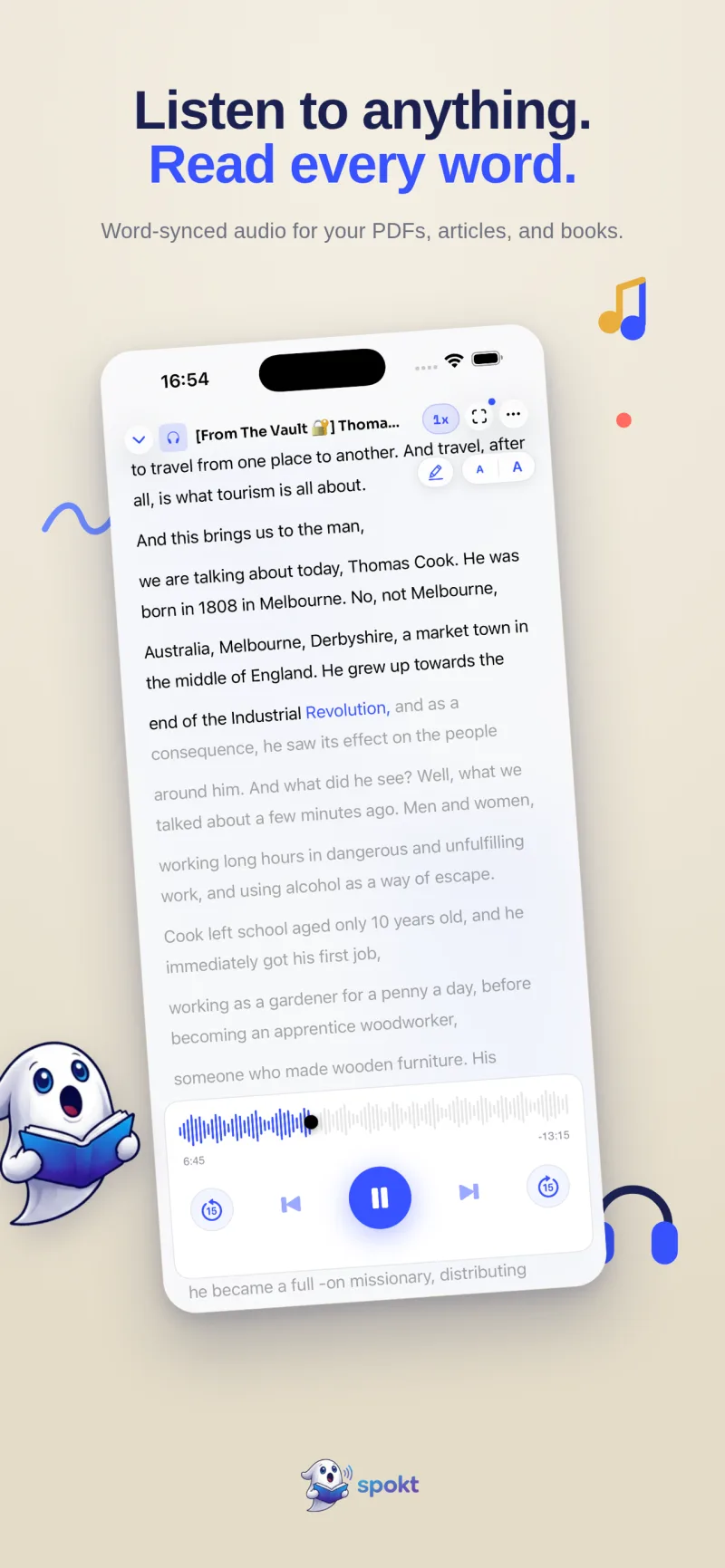
- Press play and read alongWord-by-word karaoke highlighting stays perfectly synced to the audio, and you can adjust speed from 0.75× up to 2×.
- Organize your libraryFolders keep books and documents sorted, covers show your progress, and everything syncs across your devices.
- Unlock once if you outgrow freeWhen you need more, pick Plus — or the one-time lifetime unlock, so you never see a renewal charge again.
Frequently asked questions
Which apps like Speechify are actually free?
ElevenReader is the closest to free-and-unlimited — the app itself is free with over 1,000 voices, and only heavy use of your own imported files pushes you toward its $99/yr Ultra tier. Microsoft Edge's Read Aloud and Windows freeware Balabolka cost nothing, and every iPhone ships with Speak Screen built in. Spokt's free tier includes monthly premium voice time and sync minutes with word-by-word highlighting, so you can test the full experience before paying anything. With a paid plan, top up premium voice time and sync minutes anytime with voice packs.
Is there a text-to-speech app with no subscription?
Yes. On Windows, Balabolka is completely free with no paid tier at all. On iPhone, Spokt offers a one-time lifetime unlock — you pay once and never subscribe — on top of a free tier that doesn't expire. Voice Dream Reader used to be the go-to pay-once app, but its 2024 move toward subscriptions is exactly why a designed lifetime tier matters more than a legacy price.
Do Speechify free trials auto-charge?
Yes — the Premium trial converts to the paid plan (the $139 annual charge on the standard offer) unless you cancel before it ends. If you subscribed through the App Store, cancel under Settings, your Apple ID, then Subscriptions; canceling immediately still lets the trial run to its end date. Set a reminder the day you start any TTS trial. Spokt's free tier is not a trial, so there's nothing to cancel and no conversion charge.
Can these alternatives read PDFs and EPUBs?
PDFs are well covered: ElevenReader, NaturalReader, and Spokt all read them, and Edge reads PDFs you open in the browser. EPUB varies more — ElevenReader and NaturalReader accept ebook files, while Spokt reads PDFs, EPUBs, web articles, and plain text aloud, and also uses EPUB as companion text when you import your own audiobooks. If your library is EPUB-heavy, check the format list of your shortlisted app before committing.
Which Speechify alternative has the most natural voices?
For sheer variety, ElevenReader's pool of 1,000+ ElevenLabs voices is hard to beat. At the quality ceiling, though, the top apps have converged — Spokt ships natural premium AI voices plus Studio broadcast-quality voices, and pairs them with word-synced highlighting that free system voices can't match. The honest test is to paste the same paragraph into two or three apps and listen back to back.