 spokt
spoktRead aloud app for iPhone & iPad
Turn any PDF or EPUB into audio. Read along, word by word.
Spokt is a text to speech app that reads PDFs, EPUBs, and web articles aloud in natural AI voices — and an audiobook player that word-syncs the files you already own to the book's text. Every word lights up as you listen. Switch it to Learner Mode and the same app becomes a language learning tool: leveled stories and podcasts, tap-to-translate, sentence practice, and a count of the hours you have actually put in.
- Free to download
- Lifetime unlock — no subscription required
- Natural voices, 10 languages
- Plays your own audiobooks — word-synced
- Learner Mode: leveled input, A1–C2
Download
Get Spokt free on the App Store
The read aloud app for iPhone that starts working in about a minute. Free tier included — no account hoops, no credit card, and a pay-once lifetime option instead of another subscription.

 Scan with your iPhone
Screenshots
Read with your eyes, your ears — or both
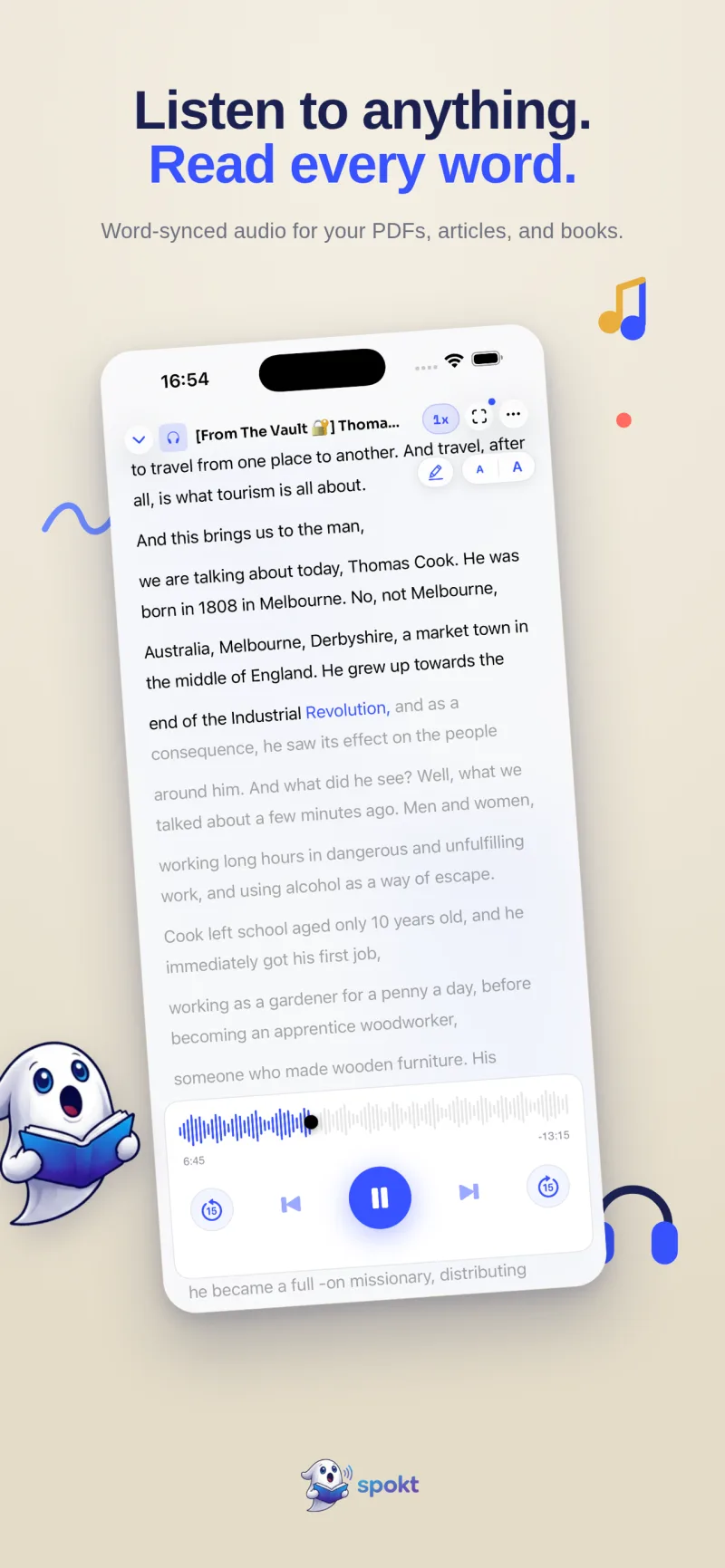
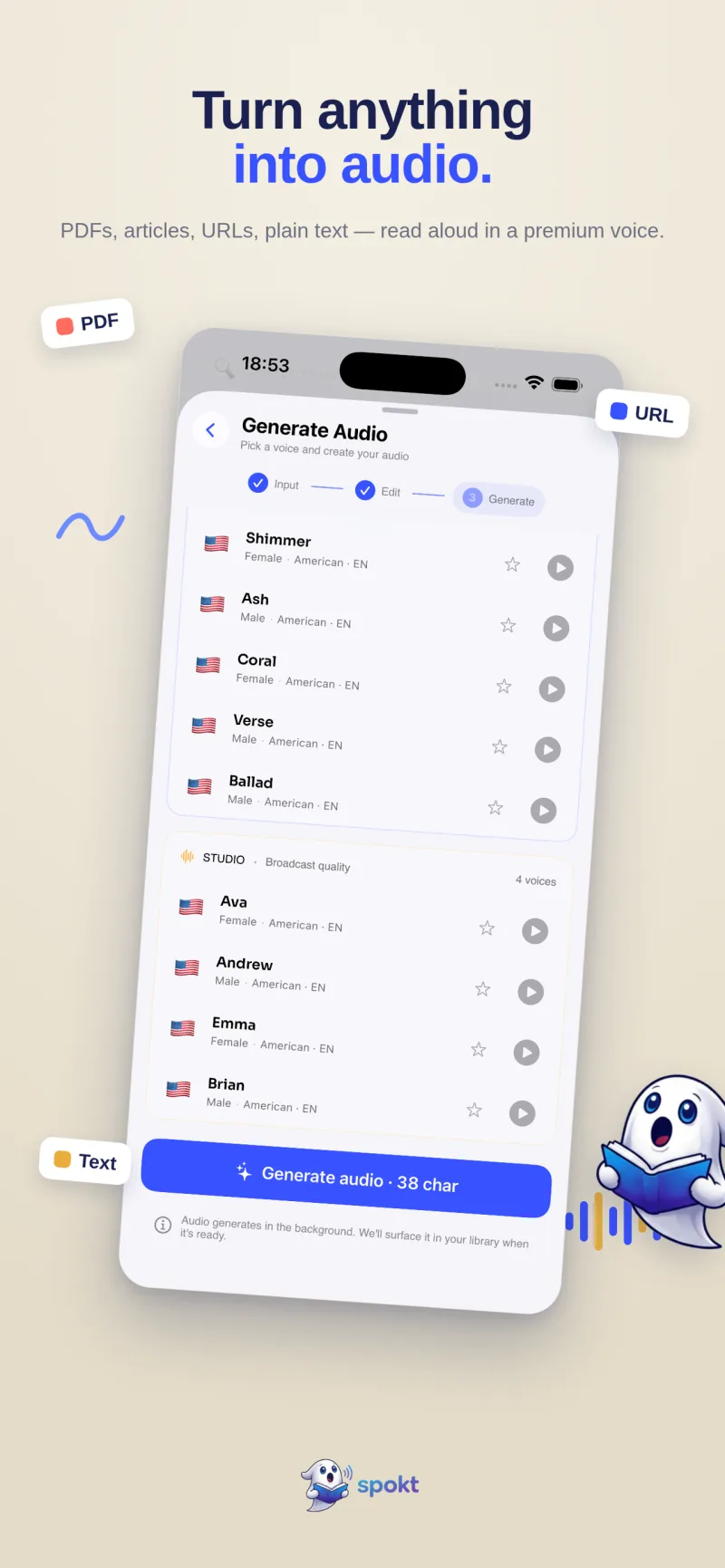
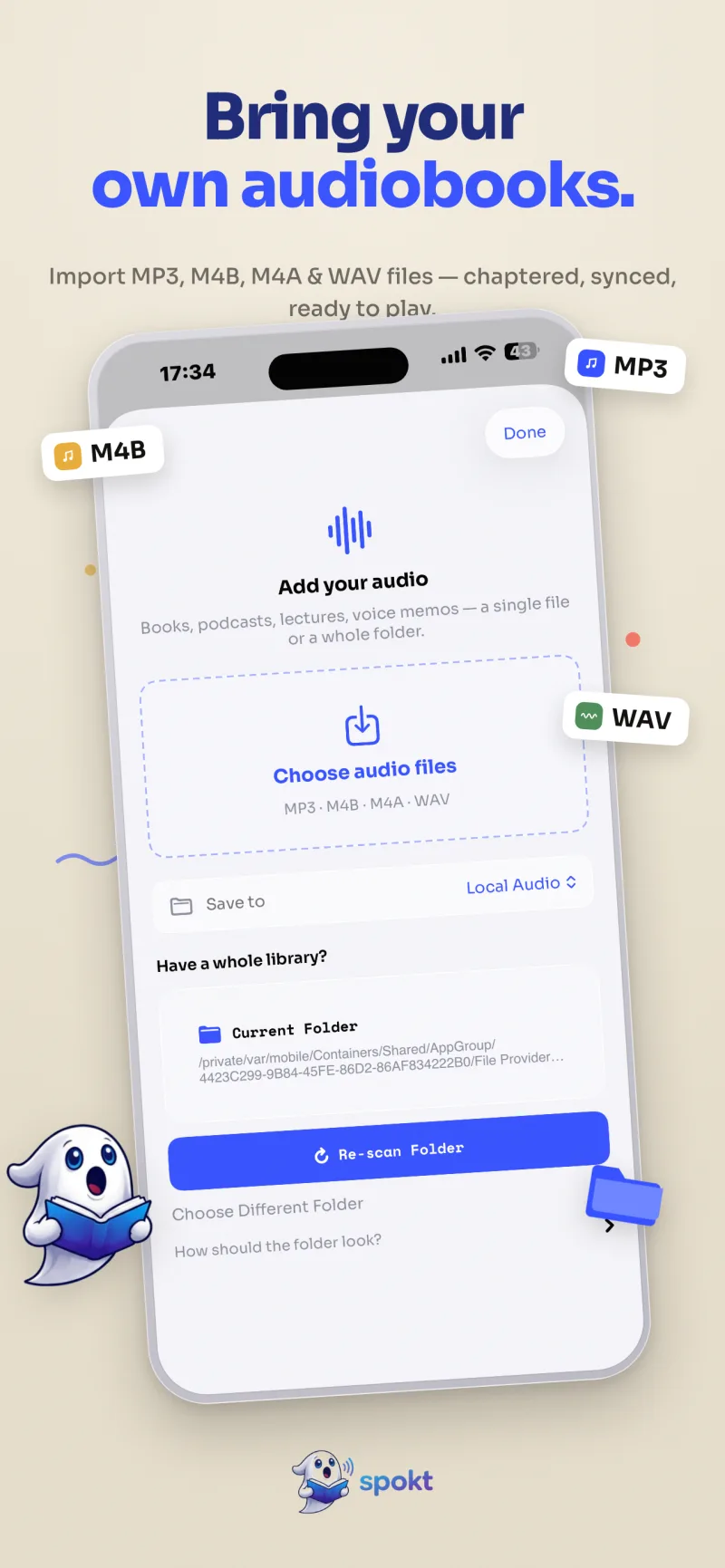
Straight from the App Store listing: the player, the voices, your own audio files, and the whole of Learner Mode.
How it works
From “I should read this” to listening in three steps
Add anything
Drop in a PDF or EPUB, paste a link to any article, type or paste plain text — or share your own audio files straight from the Files app and Spokt opens with them: MP3, M4B, M4A, WAV, chapters and all.
Pick a voice
Choose a natural, premium AI voice and generate the audio in the background. Adjust the speed to your taste, from slow study pace to 2×.
Listen & read along
Every word highlights in sync as it’s spoken — karaoke for your reading list. Flip on Learner Mode and the same library starts teaching you a language.
Why Spokt
Five things almost no other app does
An app that highlights each word as it reads aloud
Most text to speech apps read at you. Spokt is a read and listen at the same time app: word-by-word highlighting stays perfectly synced to the narration, so your eyes and ears move together — the pattern reading specialists recommend for focus, dyslexia, and ADHD.
- Word-level sync, not sentence blocks
- Follow along in PDFs, EPUBs, articles, and books
- Adjustable speed without losing the highlight
Your own audiobooks, with word-synced text
Spokt is the audiobook app with synced text for files you already own — and your files are treated like first-class citizens. Share audio straight from the Files app and Spokt opens with it; or pick files, or point it at a folder. Combine parts into one chaptered book or keep them separate, attach the matching PDF or EPUB, and read along with a live transcript. Immersion reading, without buying everything twice.
- Open from anywhere — share MP3, M4B, M4A, or WAV files from the Files app and Spokt imports them on the spot
- Your book, your shape — combine files into one chaptered audiobook, split them apart, reorder, rename, or add parts later
- Companion documents — attach the original PDF or EPUB to any book and open it right from the player
Learn a language through comprehensible input
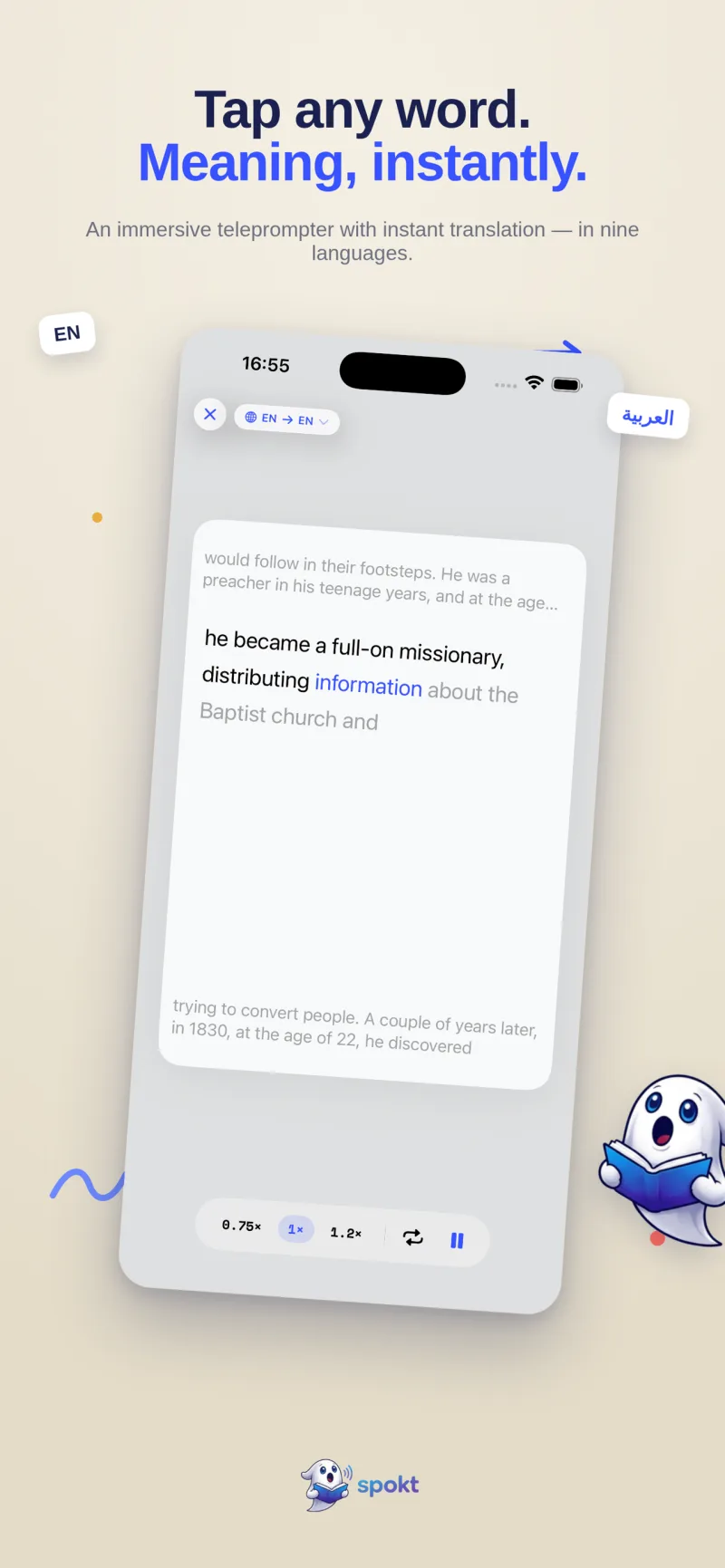
Flip the app into Learner Mode and Spokt becomes a comprehensible input app: real stories, podcasts, and news matched to your level (A1–C2), tap any word for an instant translation, and an automatic tracker that learns which words you know as you read and listen.
- Tap-to-translate across 19 languages, on-device
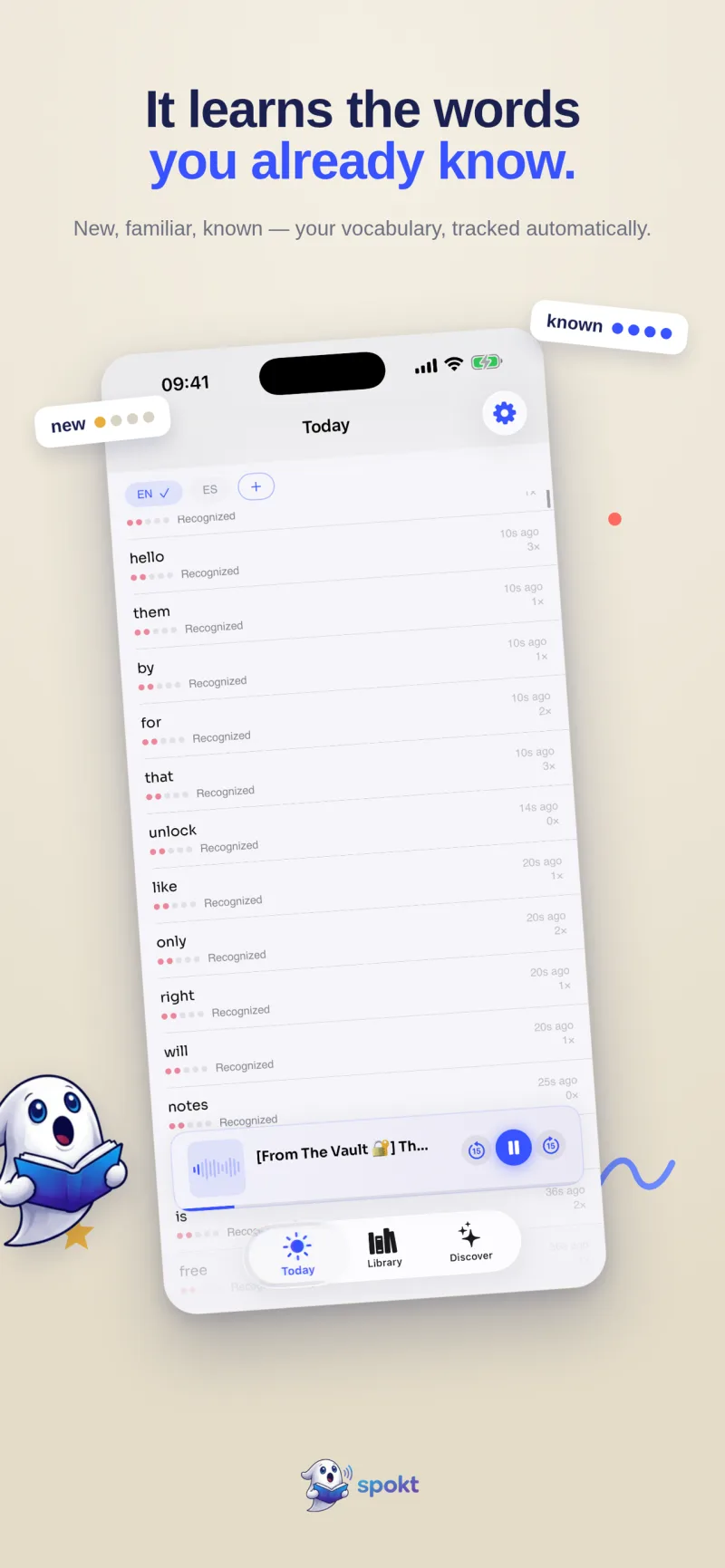
- Automatic vocabulary tracking — new → familiar → known
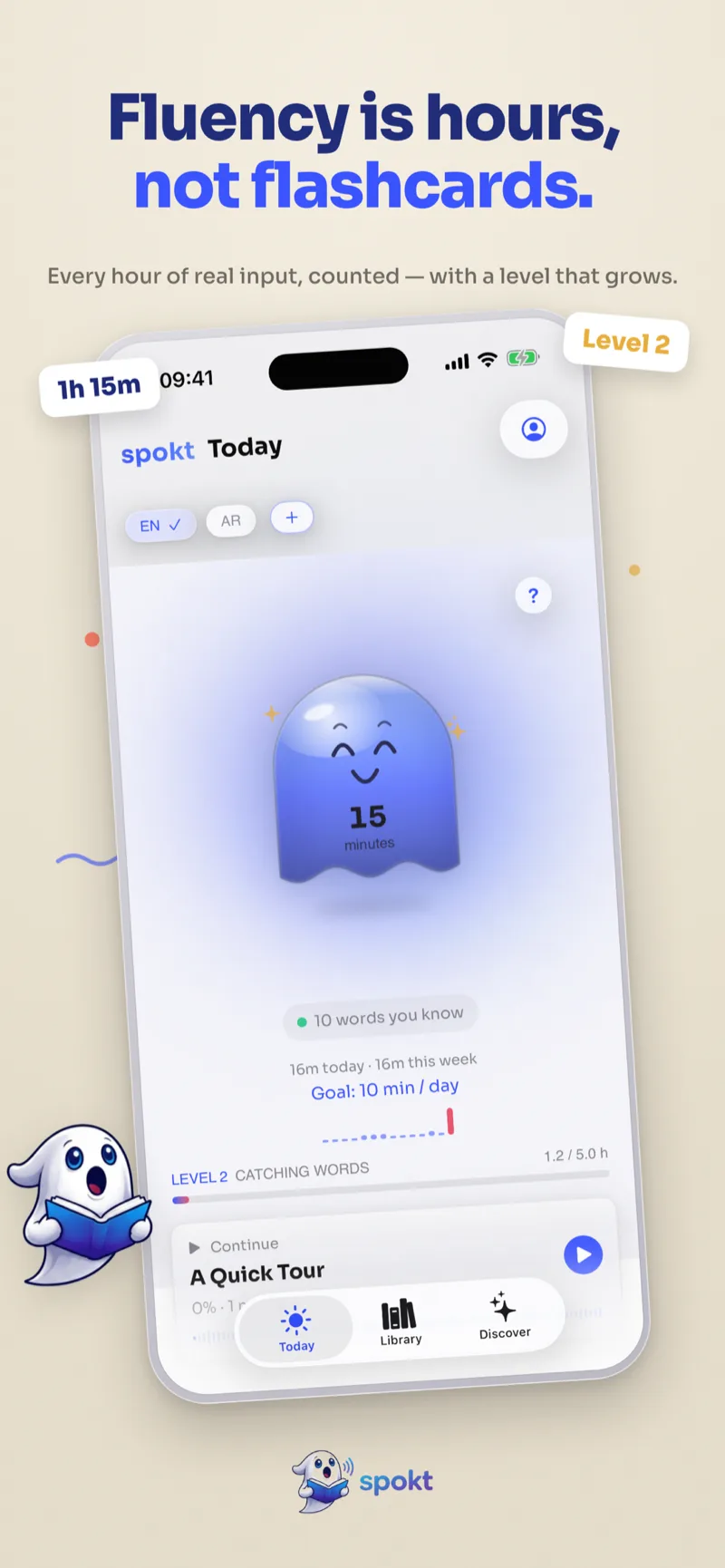
- Hours-of-input dashboard plus optional spaced-repetition review
- Bring your own words — import from LingQ, Anki, or any CSV, and export anytime
Practice a sentence until you can say it back
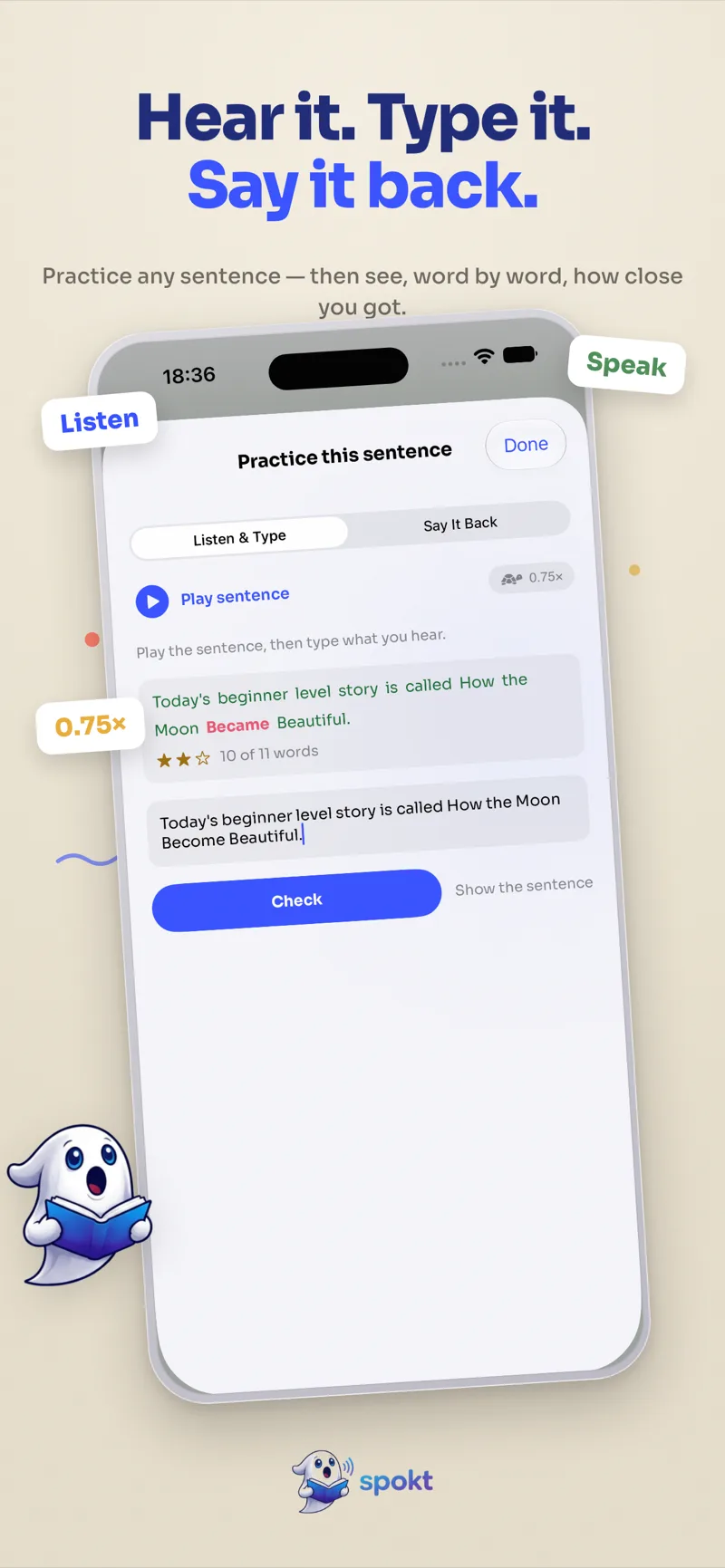
Plenty of apps turn a document into audio. Almost none let you stop on a sentence and check yourself against it. Tap the practice button on any line and Spokt gives you two ways to work: Listen & Type plays the sentence (slow it to 0.75× if you need) and asks you to type what you heard, then marks your answer word by word. Say It Back has you record it and compares your attempt to the native audio the same way.
- Word-by-word scoring — every word you got right in green, the misses in red, with a star rating
- Dictation and pronunciation in one sheet, on any sentence in any book
- Slow playback to 0.75× without the voice turning to mush
Pay once, keep it forever — no subscription required
Tired of text to speech apps that want $139 a year? Spokt starts free, and the lifetime unlock is a one-time purchase. Premium AI voices, audiobook import, and Learner Mode — yours, without another line on your credit card statement.
- Real free tier — 3 hours of new audio every month, plus the first 15 minutes of any book
- Lifetime unlock — one payment, every feature
- No ads, no account required to try it
Learner Mode
The language learning app hiding inside your reader
Spokt is built on Krashen's idea of comprehensible input: you pick up a language by consuming a lot of real audio and text you actually enjoy, not by drilling flashcards. Switch the app to Learner and the reader you already use reshapes into a full learning system. Switching back to Reader is always one tap away.
Find your level
A short placement check sets your starting point on the CEFR scale, A1 to C2, so the content you get is hard enough to teach you and easy enough to enjoy.
Discover things worth finishing
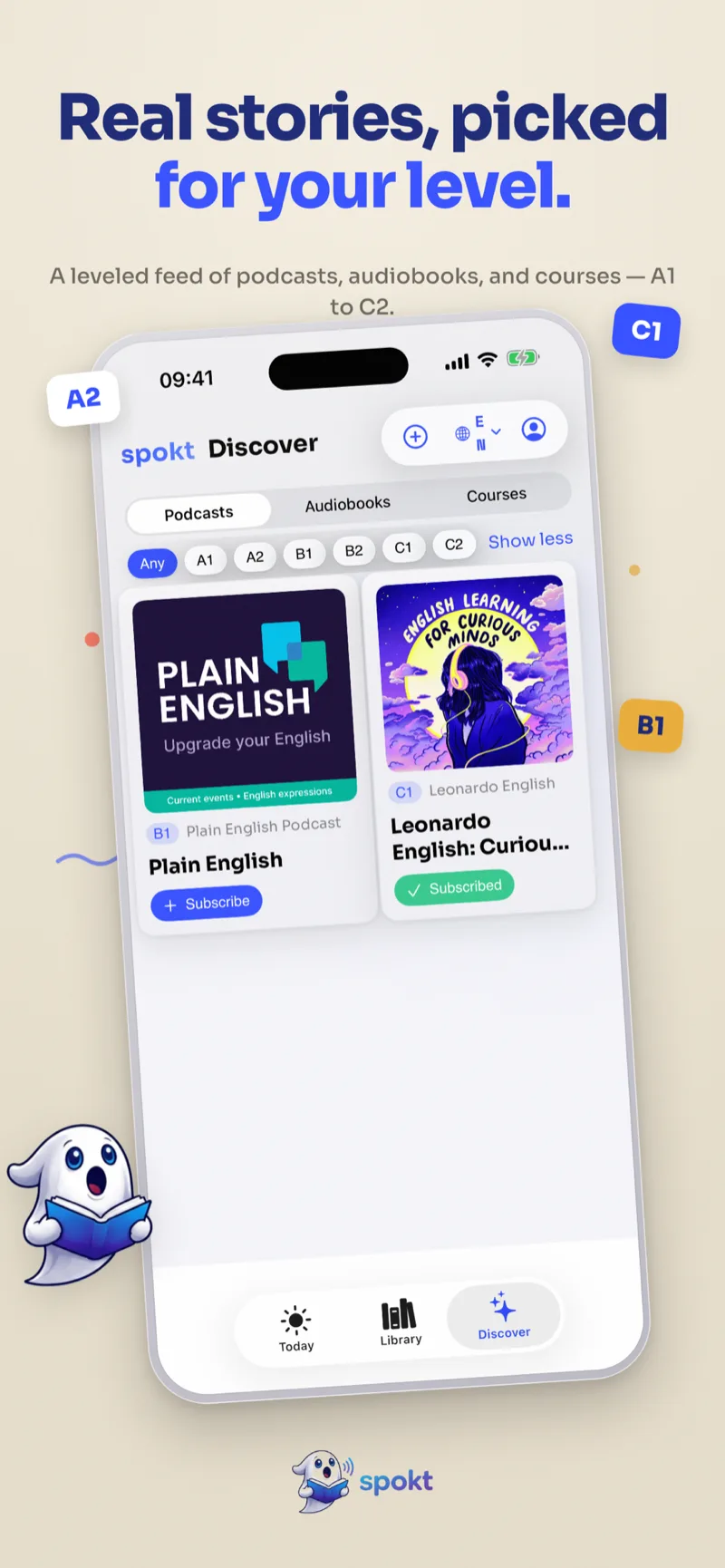
A leveled feed of real podcasts, audiobooks, and courses, filtered by level. Subscribe to a show and new episodes arrive ready to read along with.
Tap any word
Instant on-device translation across 19 languages while the audio keeps playing. Save a word and it lands in your vocabulary with the sentence you met it in.
Practice the sentence
Stop on any line and check yourself. Listen & Type marks your dictation word by word; Say It Back records you and compares it to the native audio.
Words you know, counted
Every word you read and hear moves from new to familiar to known on its own. Import the words you already know from LingQ, Anki, or any CSV, and export them whenever you like.
Hours, not streaks
A daily goal companion fills up as you listen, and an hours-of-input dashboard tracks the milestones that actually predict fluency. Spaced-repetition review is there if you want it, and off by default.
Made for
Whoever you are when you press play
Students
A text to speech app for studying: listen to textbooks, lecture notes, and research papers at 2× while the highlight keeps your place — then re-read the hard parts.
Commuters & multitaskers
Listen to articles while driving, cooking, or at the gym. Paste a link before you leave; Spokt keeps reading with the screen locked.
Focus & accessibility
For dyslexia, ADHD, and tired eyes: natural voices with synced word highlighting turn long documents into something you can actually finish.
Guides
Answers first, app second
Practical guides to the questions that brought you here — how to do the thing, honestly, and then how Spokt makes it effortless.
Immersive reading: read along while you listen
BookTok's favorite way to read in 2026 — and the easiest focus upgrade a reader can make.
Read the guide → Reader guideThe audiobook player with synced text
Your own MP3/M4B files, word-synced to the book's text — BookPlayer, Voxlight, Storyteller, and Spokt compared.
Read the guide → Reader guideText to speech without a subscription
What reading apps really cost per year — and the pay-once way out, disclosed in full.
Read the guide → Reader guideHow to make your iPhone read any PDF aloud
Speak Screen, Siri, and the better way — natural voices with word-by-word highlighting.
Read the guide → Reader guideTurn any PDF into an audiobook, free to start
Skip the clunky converter sites — get chapters, resume, and a premium voice on your phone.
Read the guide → Reader guideApps that highlight words as they read aloud
Yes, it exists — and word-level sync is what makes read-along actually work.
Read the guide → Reader guideRead along with your own audiobooks
Whispersync-style synced text for MP3 and M4B files you already own — no Amazon required.
Read the guide → Reader guideFree Speechify alternatives that don’t cost $139/yr
What Speechify’s free plan really includes, and the pay-once way out.
Read the guide → Reader guideVoice Dream Reader alternatives for 2026
Where displaced Voice Dream users go for highlighting, folders, and a lifetime price.
Read the guide → Learner guidePractice pronunciation & dictation
Type what you hear, then say it back — on any sentence in your own books, not a fixed lesson catalog.
Read the guide → Learner guideThe comprehensible input app
Krashen’s input hypothesis, minus the drills: learn from real stories, podcasts, and news at your level.
Read the guide → Learner guideHow many hours of input to learn a language?
The milestone numbers by level — and how to track your hours automatically.
Read the guide → Learner guideCan you learn a language with audiobooks?
Why passive listening fails, and how reading along changes everything.
Read the guide → Learner guideAn app that translates words while you read
Tap any word for an instant, on-device translation — across 19 languages, including Arabic.
Read the guide → Learner guideAn app that tracks the words you know
No flashcard filing: your vocabulary moves from new to familiar to known as you read.
Read the guide → Learner guideLingQ alternatives for input-based learners
An honest comparison for import-your-own-content learning — UI, price, and audio sync.
Read the guide →FAQ
Questions people actually search
How do I make my iPhone read a PDF aloud?
You can use Apple’s built-in Speak Screen, but it loses your place, sounds robotic, and won’t highlight the text. A read aloud app like Spokt imports the PDF, reads it in a natural AI voice, and highlights every word in sync. Learn more →
Can I turn a PDF into an audiobook for free?
Yes. Instead of a pdf to audiobook converter website that emails you a flat MP3, Spokt turns the PDF into a playable audiobook on your iPhone — with chapters, resume, speed control, and a free tier to start. Learn more →
Is there an app that highlights words as it reads to you?
Yes — Spokt highlights each word the moment it’s spoken, karaoke-style, across PDFs, articles, and imported audiobooks. Word-level sync is what keeps your eyes and ears locked together. Learn more →
Can I read along with audiobooks I already own?
Yes. Share your MP3 or M4B files straight from the Files app — with the matching PDF or EPUB — and Spokt builds a word-synced transcript. Immersion reading without Kindle, Audible, or buying both formats. Learn more →
How do I add my own audio files to Spokt?
Three ways: share audio from the Files app (or any app) and Spokt opens with it directly; pick files from the library’s Add Audio button; or import a whole folder. Select several files and choose whether they become one audiobook with chapters or separate books — and you can add more parts or attach a PDF/EPUB to any book later, from its own page. Learn more →
Is there a free alternative to Speechify?
Spokt is a free Speechify alternative with a real free tier — and instead of a $139/yr subscription, the full app is a one-time lifetime purchase. Premium natural voices included. Learn more →
What should Voice Dream Reader users switch to?
After Voice Dream moved to a subscription and sunset the classic app, most users want the same core: files, folders, natural voices, and synced highlighting. Spokt covers that — with a pay-once lifetime option. Learn more →
What is a comprehensible input app?
It’s an app built around learning a language by reading and listening to real content you mostly understand — not drills. Spokt gives you leveled stories, podcasts, and news (A1–C2) with tap-to-translate and automatic word tracking. Learn more →
How many hours of comprehensible input do I need?
Rough milestones run from ~50 hours for early listening comprehension to 1,000–1,500 hours for advanced levels, depending on language distance. Spokt counts your reading and listening hours automatically so you always know where you are. Learn more →
Can you learn a language by listening to audiobooks?
Listening alone, rarely. Listening while reading along — the L-R method — works far better, and Spokt is built for it: import any foreign-language audiobook with its text and follow the word-synced transcript. Learn more →
Is there an app that translates words while you read?
Yes — in Spokt you tap any word and get an instant, on-device translation without leaving the page, across 19 languages. Every tap also feeds your personal vocabulary tracker. Learn more →
How does Spokt know which words I know?
As you read and listen, every word you encounter moves through new → familiar → known automatically. No flashcard filing — and an optional spaced-repetition review for the words you want to lock in. Learn more →
Is Spokt a good LingQ alternative?
If you like LingQ’s import-and-read method but not its cluttered UI or subscription, Spokt offers the same input-based core — tap-translate, known-word tracking, real audio sync — as a native iOS app with lifetime pricing. Learn more →
Is Spokt free? What does the free tier include?
Spokt is free to download. You get 3 hours of new standard-voice audio every month at no cost, plus the first 15 minutes of any book. A monthly allowance of premium voice time lets you sample the upgraded voices before you decide. Learner Mode, your own audio files, and word-synced highlighting are not paywalled. Upgrading is optional, either a Plus plan or a one-time lifetime unlock. With a paid plan, top up premium voice time and sync minutes anytime with voice packs. Learn more →
Can I practice speaking and spelling, not just listen?
Yes. Tap the practice button on any sentence and Spokt opens two exercises built from that line. Listen & Type plays it, slowed to 0.75× if you want, and marks the dictation you type word by word. Say It Back records you saying it and scores your attempt against the native audio the same way, showing exactly which words you missed. Learn more →
Where does Spokt find content at my level?
Discover is a leveled feed of real podcasts, audiobooks, and courses tagged A1 to C2, so you can filter to the band just above where you are now. Subscribe to a show and new episodes arrive ready to read along with. You can always import your own material instead. Learn more →
What languages does Spokt support?
The interface ships in ten languages — English, Arabic, Spanish, French, German, Italian, Japanese, Korean, Portuguese, and Turkish — with full right-to-left support for Arabic. Tap-to-translate reaches further, covering 19 languages, so you can read in one language and translate into another. Learn more →
Read anything. In your ears.
Download Spokt free, drop in the thing you’ve been meaning to read, and press play. That’s it — that’s the app.